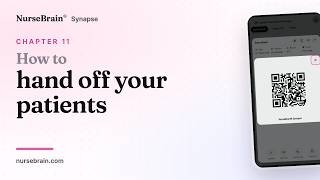
Nursing Brain Sheet FAQ
Answers to what nurses ask most, plus short video walkthroughs of NurseBrain® Synapse.
It is the digital version of the brain sheet you already keep in your pocket. You start a shift, get your patients onto your sheet, work your tasks, write your notes, and hand off at the end. It runs on your phone and in a browser, so it is with you wherever the shift takes you.
Yes. Patient information is encrypted in transit and at rest, and every server and vendor it passes through is covered by a business associate agreement. Your sheet is yours: nobody else sees it unless you hand it off.
Yes. NurseBrain® Synapse can connect to your facility's EHR. The connection is set up with your hospital's IT team, so ask them to reach out to us through the Contact page. Until your facility is connected, you can still copy what you need from Synapse into your EHR.
Yes. NurseBrain® Synapse runs in a browser at app.nursebrain.com as well as on your phone, so you can work at a workstation and pick the same shift back up on your phone.
NurseBrain® Synapse is a subscription: $29.99 a month, or $149.99 a year which works out to about $12 a month. That covers the in-app assistant, voice entry, premium brain sheet templates and the rest of the app. The blank templates on this site stay free. Nursing students get 40% off with a verified .edu email address.
Check the tutorials on this page first, since most questions are answered in under a minute. If that does not do it, send us a message through the Contact page and tell us what you were trying to do.
Video tutorials
Short walkthroughs of NurseBrain® Synapse, most of them under a minute. Watch the one you need and get back to your shift.
Open Synapse and start your shift. This is the first minute, before anyone is on your sheet.
Start here

Get your patients in
-
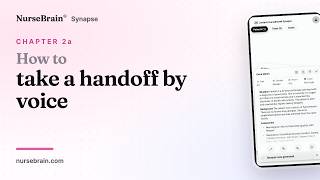 1:00 Chapter 2a Now playing Add a patient by dictation
 -
 0:41 Chapter 2b Now playing Import a handoff by QR code
 -
 0:42 Chapter 2c Now playing Scan a paper handoff
 -
 0:37 Chapter 2d Now playing Type a patient handoff
 -
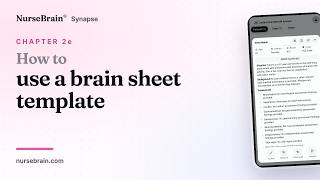 0:38 Chapter 2e Now playing Use a brain sheet template
 -
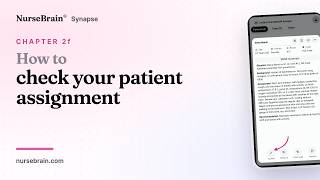 0:40 Chapter 2f Now playing Check summaries and view your assignment
Through the shift
-
 0:44 Chapter 3 Now playing Find patient information
 -
 0:34 Chapter 4 Now playing Review a patient care plan
 -
 0:43 Chapter 5 Now playing Keep track of tasks
 -
 0:58 Chapter 6 Now playing Set up and assign a routine
 -
 1:00 Chapter 7 Now playing Update patient information
 -
 0:41 Chapter 8 Now playing Review and copy a Synapse note
 -
 0:40 Chapter 9 Now playing Write and format your own note
 -
 0:42 Chapter 10 Now playing Support for your whole shift